Koi is a self-hosted finance tracker that lives inside WhatsApp. Photograph a receipt and it gets read, sorted, and saved. Split a bill or jot down income the same way. Everything stays on a machine you run.
Koi runs on a machine you control. There's no account to create and no cloud quietly keeping a copy of your spending. When you scan a receipt, its photo goes to a vision service so the text can be read. That is the only thing that ever leaves your machine.
Install it on a spare PC, a home server, or a NAS. The database and every receipt belong to you.
No ad trackers or data brokers sit in the middle. What you spend stays between you and your own records.
Add a password if you want one. The defaults are already sensible, and the code is yours to read.
Here's what you get once it's set up.
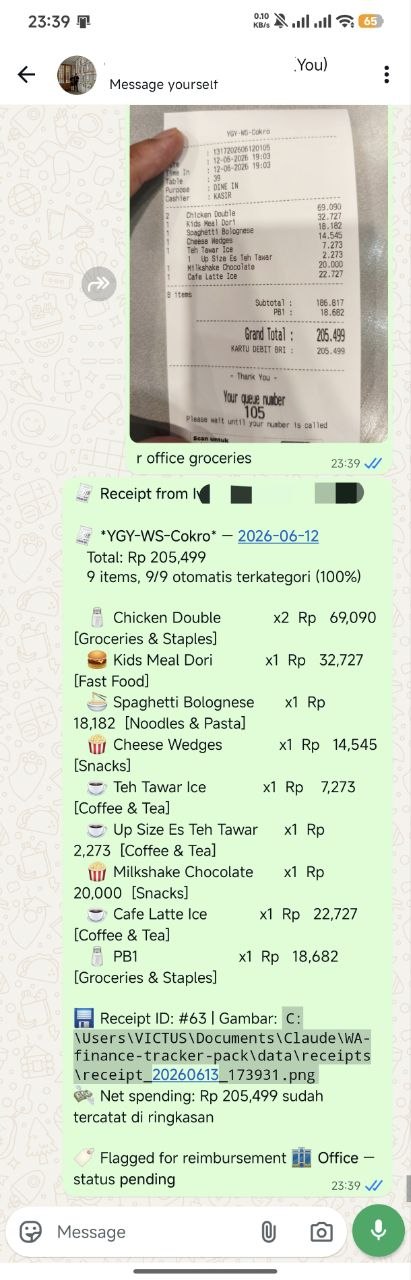
Snap a photo. Koi reads each line and sorts it using over 1,700 built-in rules, plus any you add.
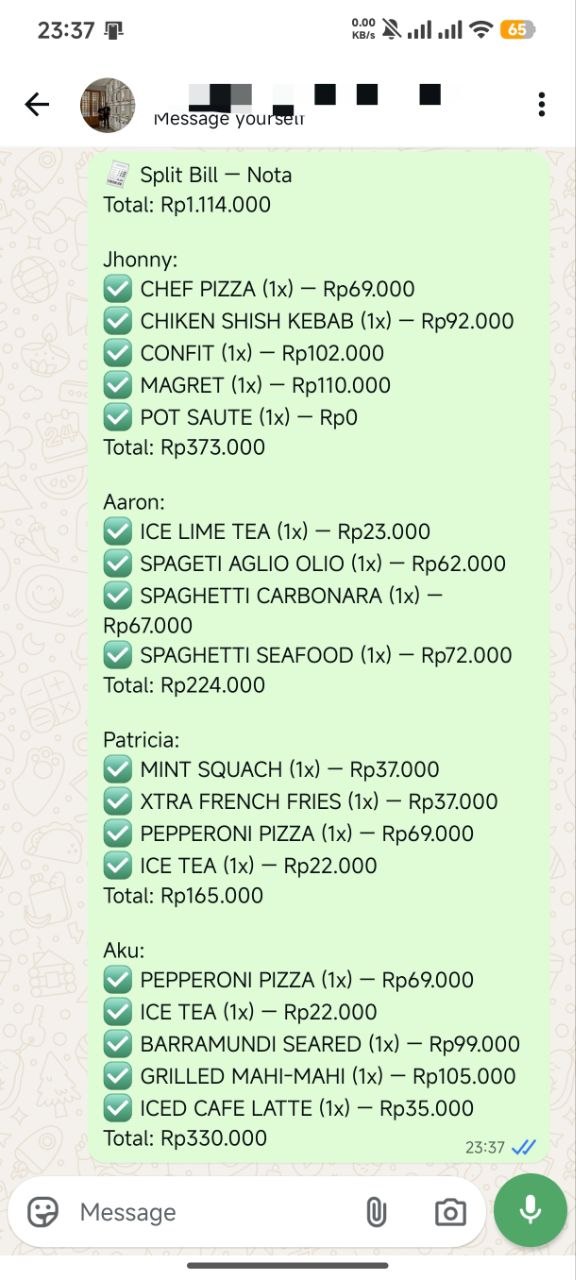
Send a receipt and get a link to share. Everyone ticks what they had, then tax and service get split to match.
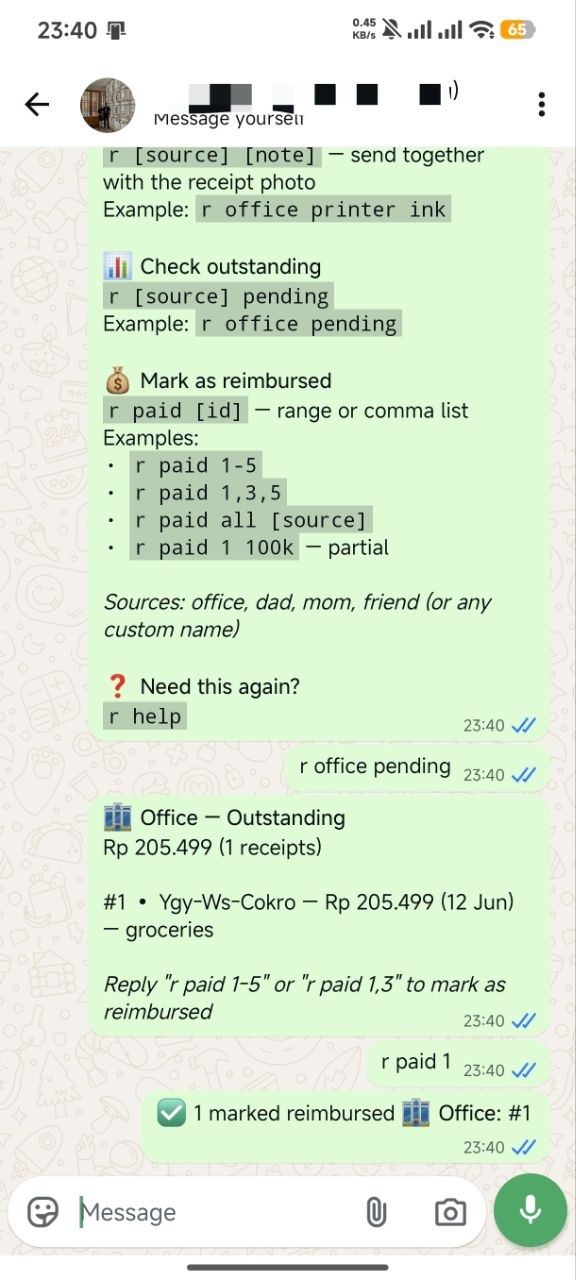
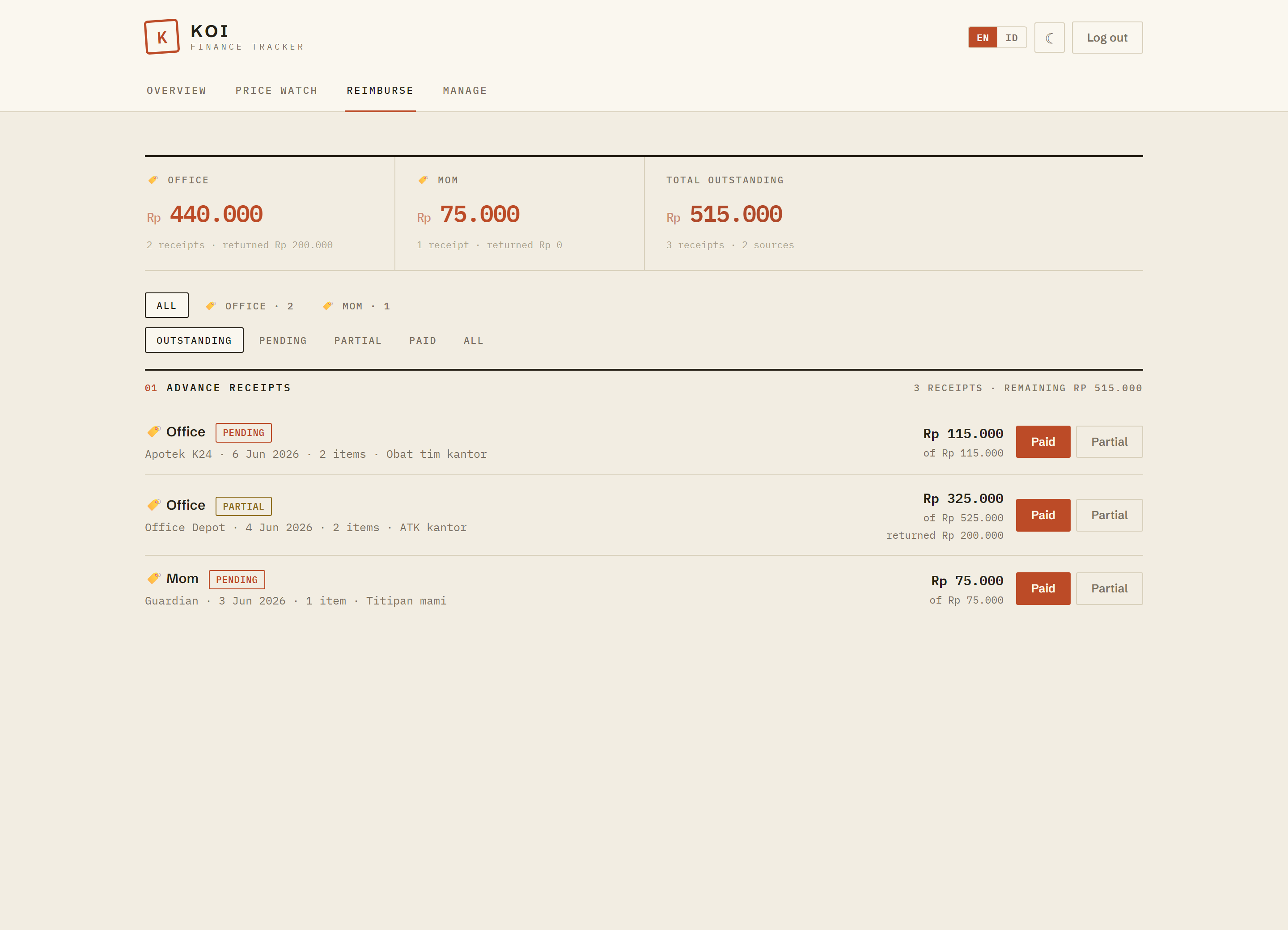
Mark an expense as something the office or a family member should pay back, then watch the balance even when it comes in pieces.
Start a trip and anything you spend during those dates gets grouped under it for you.
Type something like "income salary 5m" and it lands in your books, already categorized. No receipt needed.
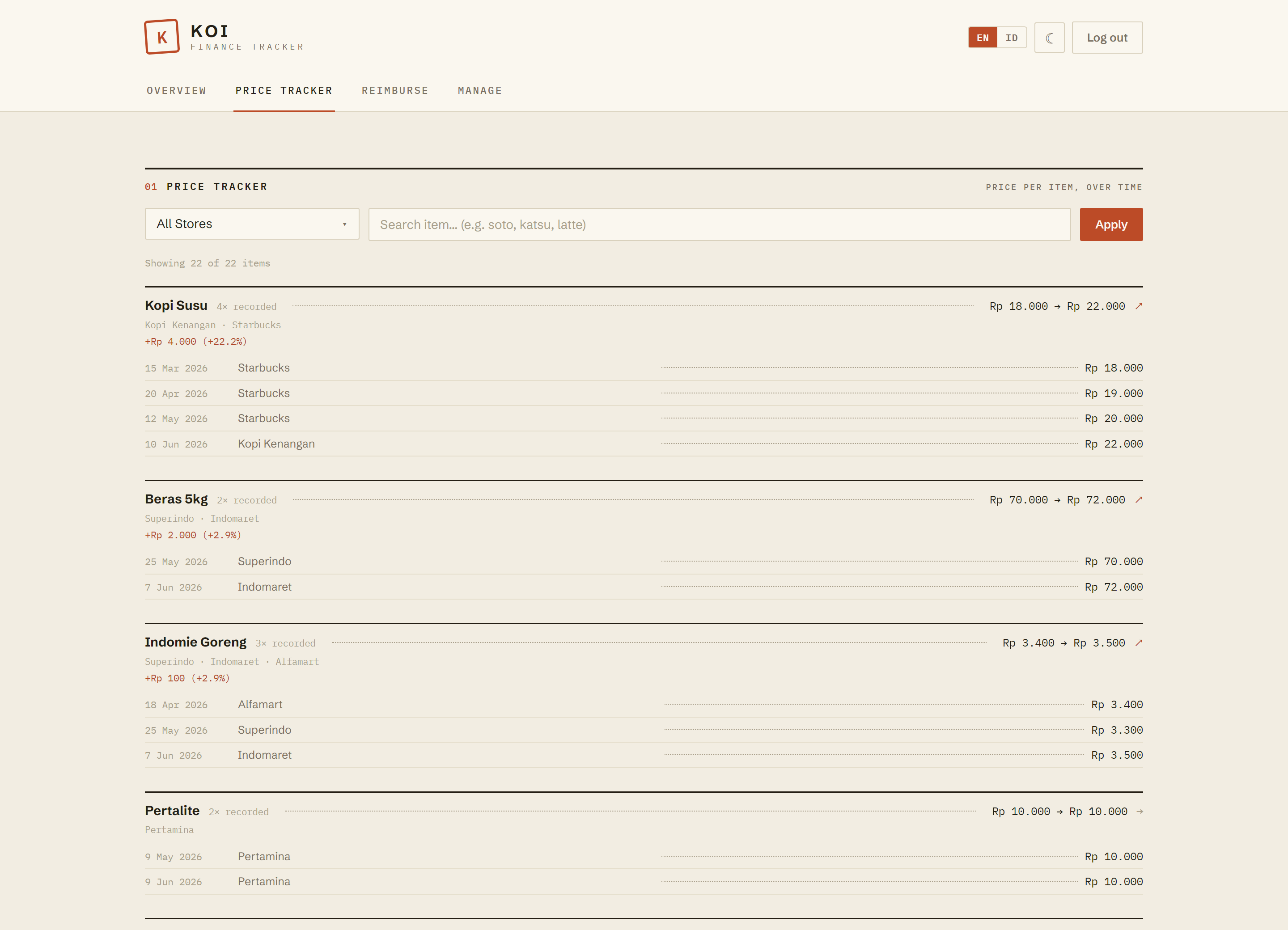
See how the price of the things you buy often shifts from month to month and shop to shop.
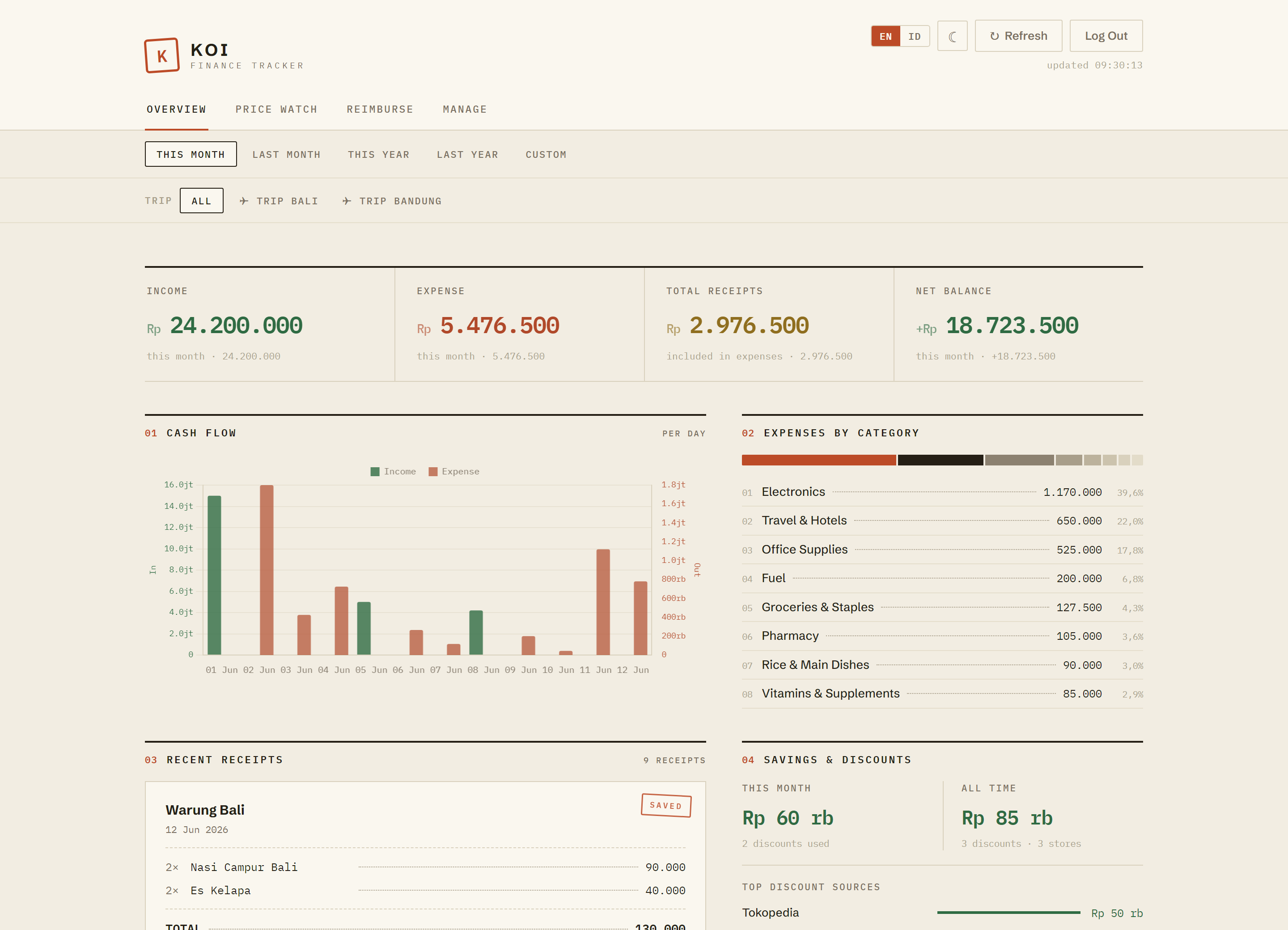
A monthly overview, spending by category, and cash-flow trends, all in English or Bahasa Indonesia.
Teach it new keyword rules straight from the dashboard. Nothing to edit in the code, nothing to restart.
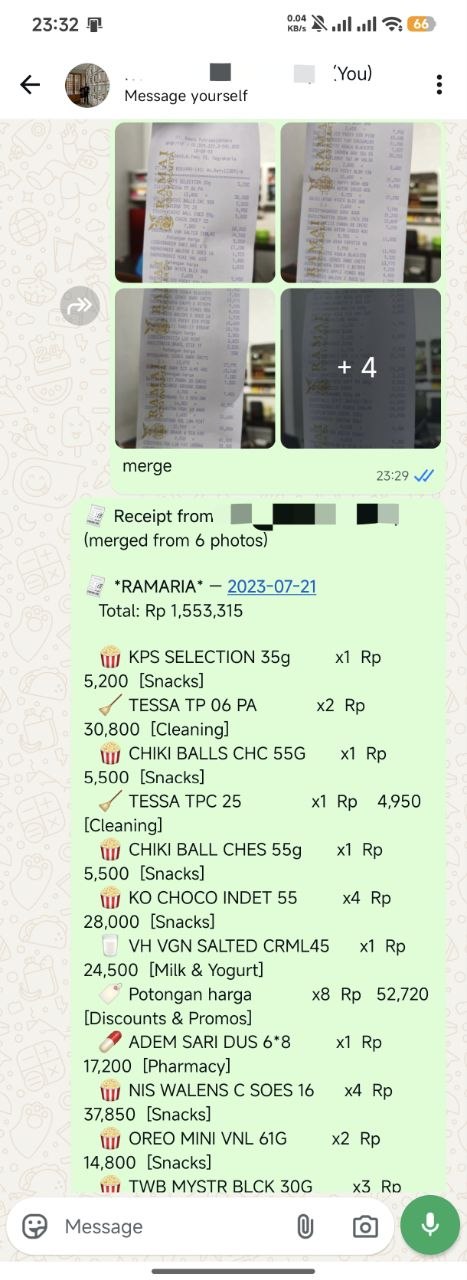
Got a long receipt? Send the photos together with "merge" and Koi joins them into one.
Text "spent today", "food this month", or "saldo" and Koi answers on the spot. Today comes itemized; longer periods come as a quick total.
Wrong category on a receipt? Reply with "1 = food" and Koi re-files that item. No dashboard needed.
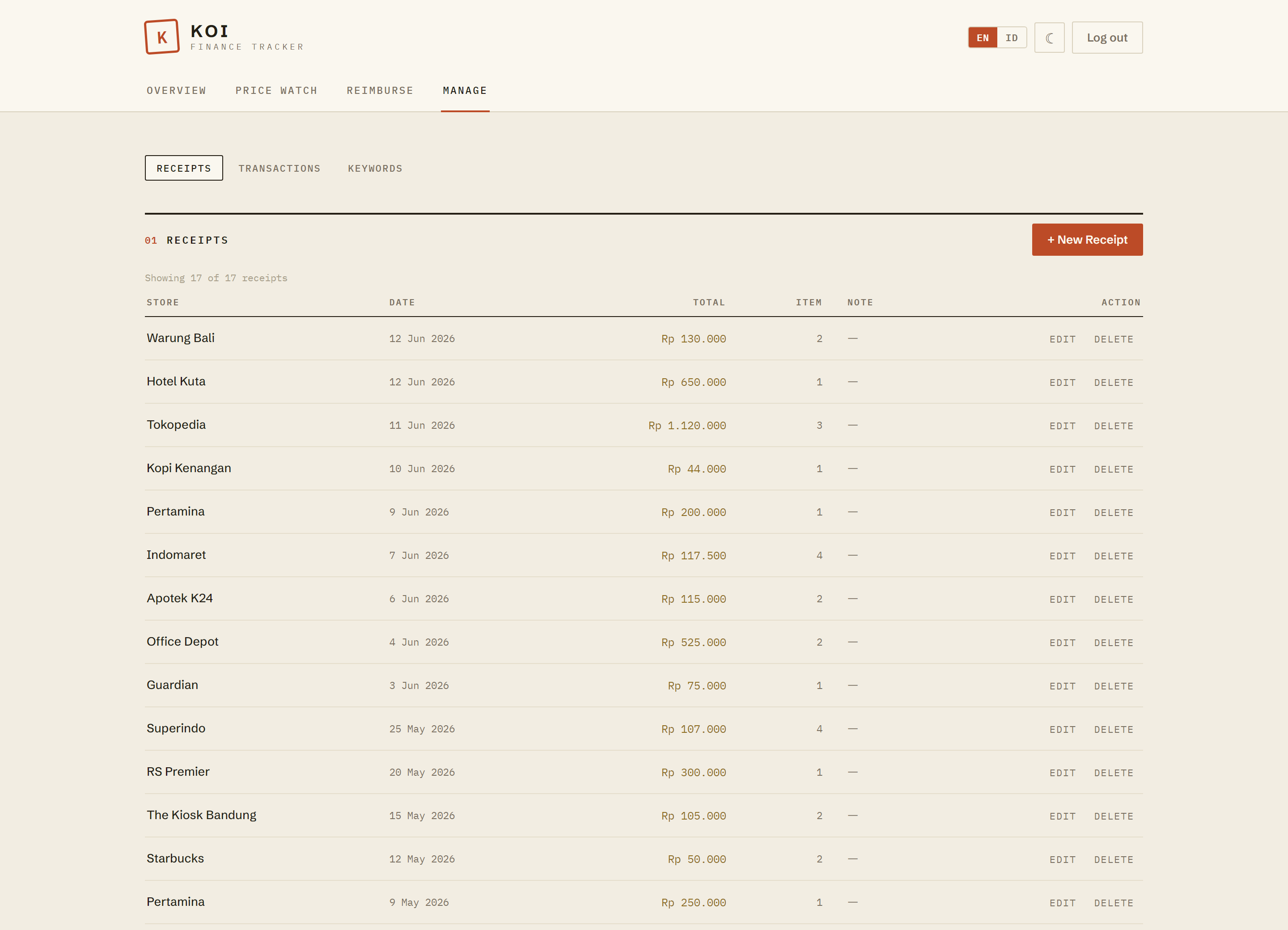
Download your books as a tidy Excel workbook or CSV, filtered by date, category, trip, or reimbursement status.
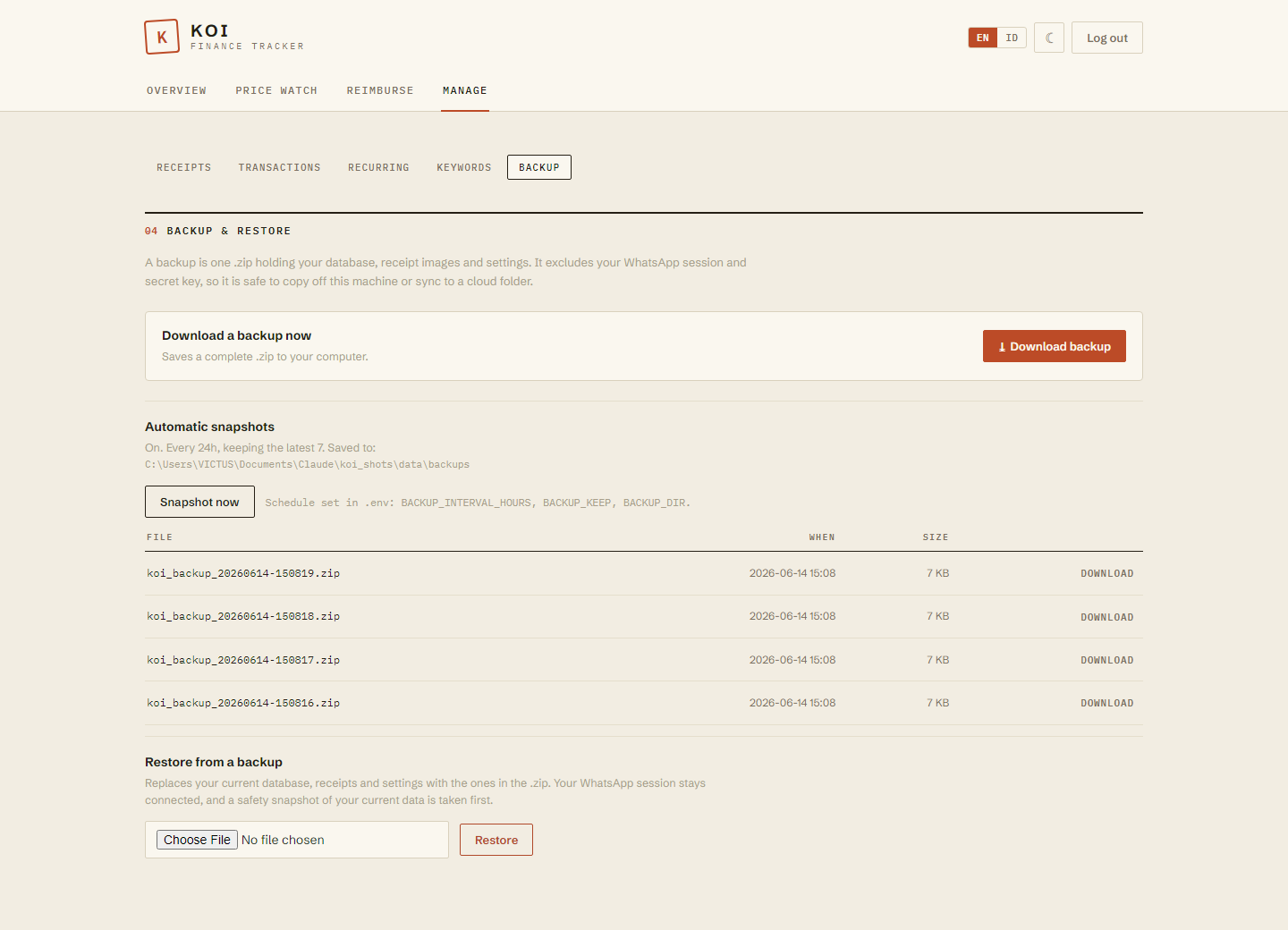
One-click backups plus automatic snapshots. They leave out your WhatsApp session and keys, so they're safe to sync to the cloud.
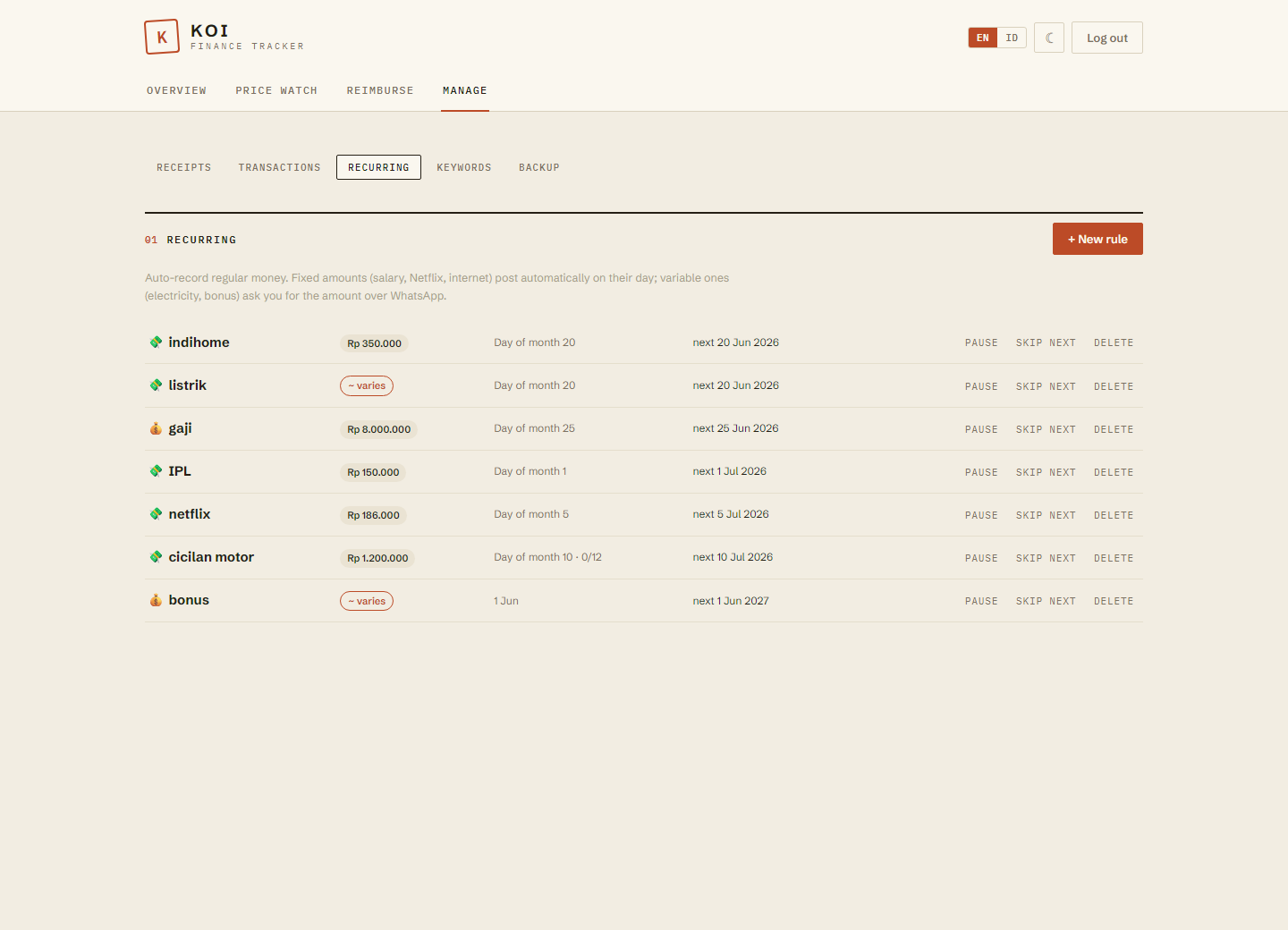
Salary, subscriptions, IPL, and installments repeat themselves. Fixed amounts auto-record on their day; variable bills like electricity just ask you for the figure over WhatsApp.
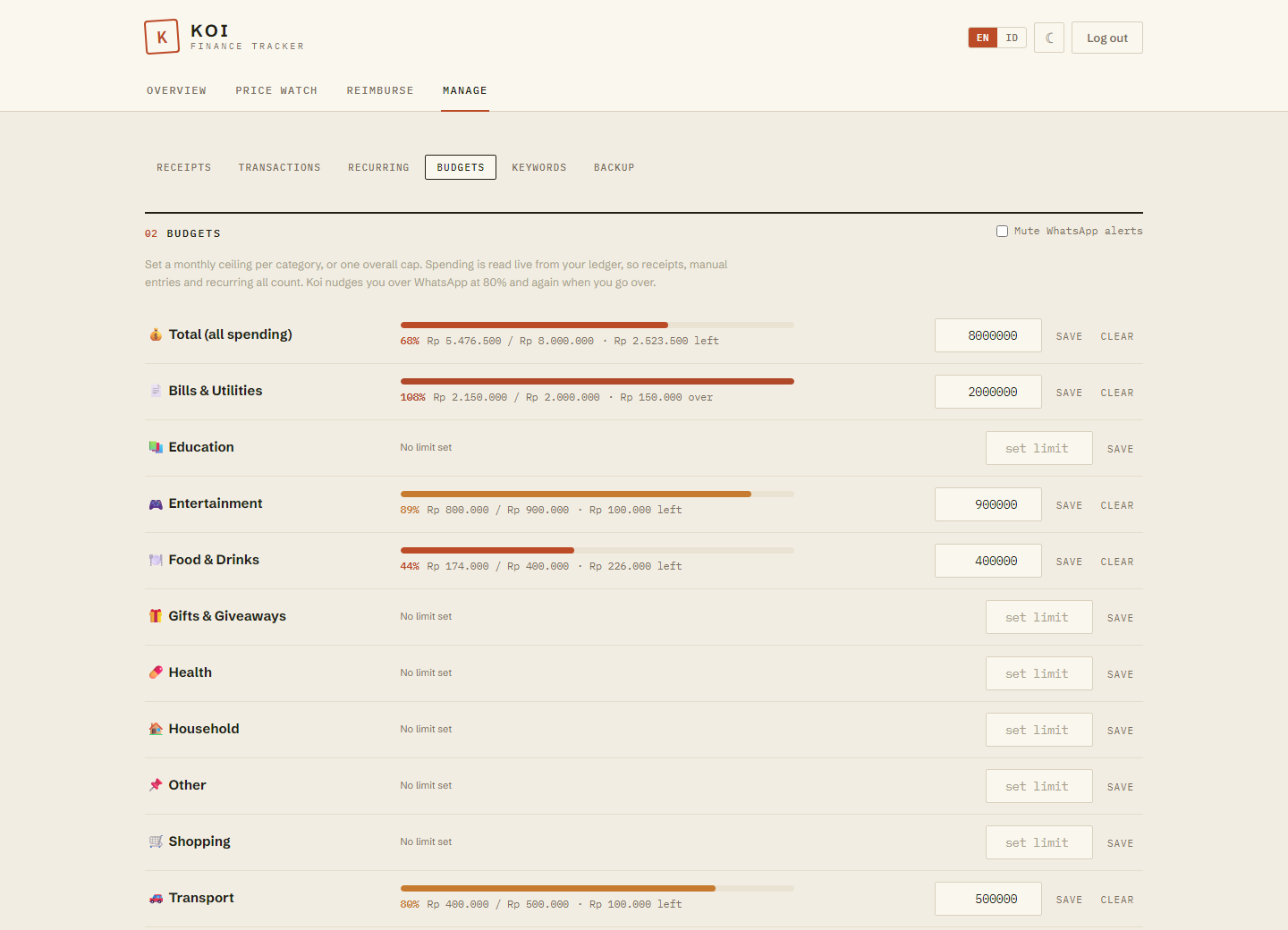
Set a monthly limit per category, or one overall cap. Koi tracks it live from your books and taps you on the shoulder at 80%, then again if you go over. Set it in chat or the dashboard.
You might expect Koi to ask which account the money came from, then keep every balance in sync. It does not, and that is exactly what keeps it easy to stick with. You log what you spend, once, and Koi shows you where your money goes.
Cash, BCA, an e-wallet, a card. It is all just money going out. You never tag a source account, because the spending is the same either way. One less field, one less thing to think about before you send.
You record each thing when you buy it. So when the credit card statement lands, you skip it. You already booked those purchases, and logging the bill on top would count the same money twice. Log the spend, never the repayment, and the math stays honest.
Koi does not try to match your bank balance or count the cash in your wallet. That chore is the tedious, fragile part of other apps, and the reason people quit them. We leave it out by design, so you get an honest picture of where your money goes, simple enough that you actually keep using it.
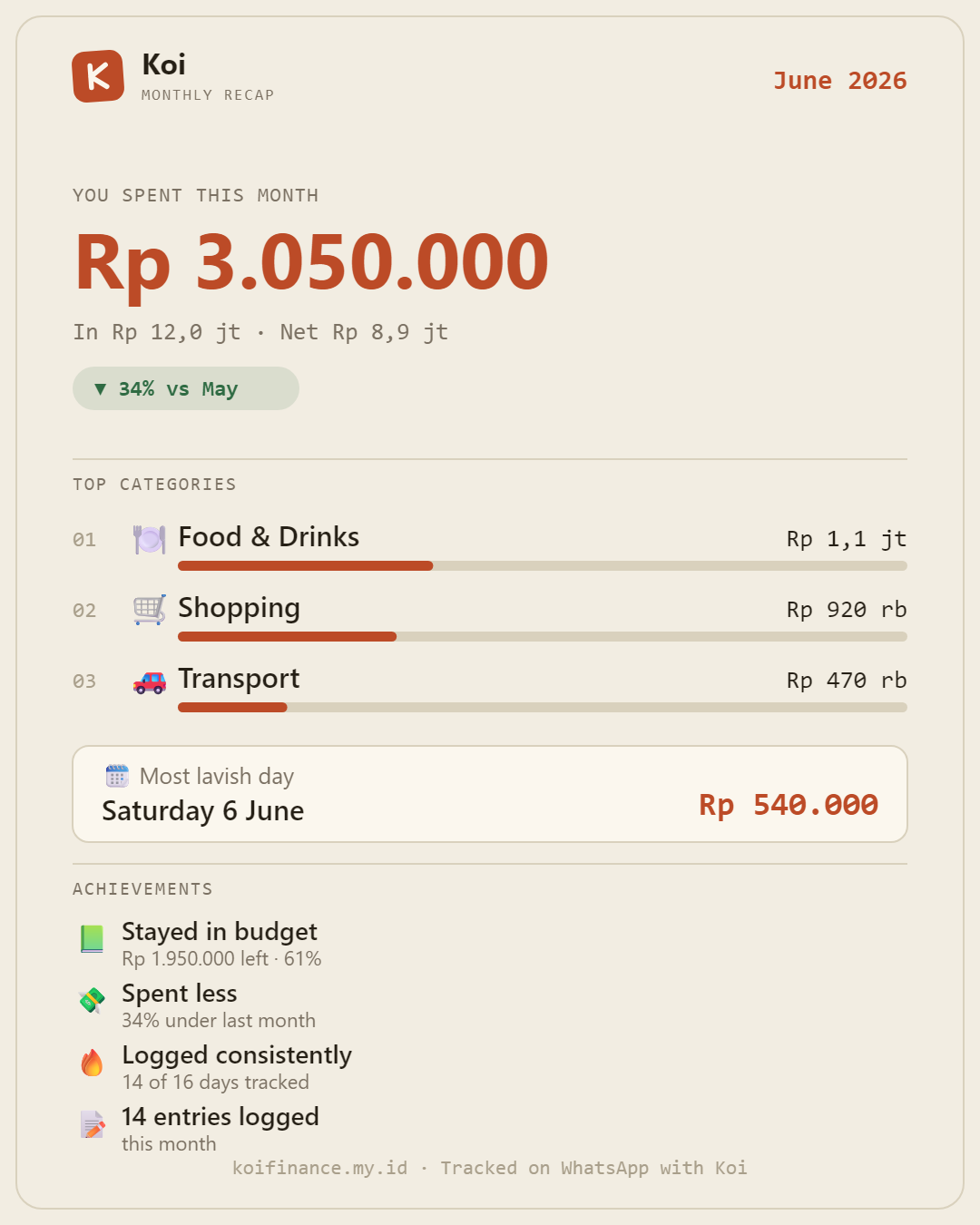
The newest thing in Koi: a monthly recap you can actually share. One tap turns the month into a card built for sending.

Tap 📒 Recap on the dashboard and Koi sums up the month: what you spent, your top 3 categories, your most lavish day, how it compares to last month, and a few achievement badges for staying on track. Then share the image straight to WhatsApp or Instagram, or save it. It is built right in your browser from your own numbers, so nothing leaves your machine unless you send it.

Point your camera at a receipt and hit send. Koi pulls out the store, the date, and every item, then files each one under the right category and replies with a tidy summary.

Share a bill as a link and let everyone choose what they ordered. Koi works out each person's share, tax and service included, so the table doesn't have to.

Tell Koi you're away and it tags everything you spend until you're back. When the trip ends, you have the full total without sorting through a month of expenses.

If a certain item keeps landing in the wrong place, add a keyword rule for it in the dashboard. From then on Koi files it the way you want.
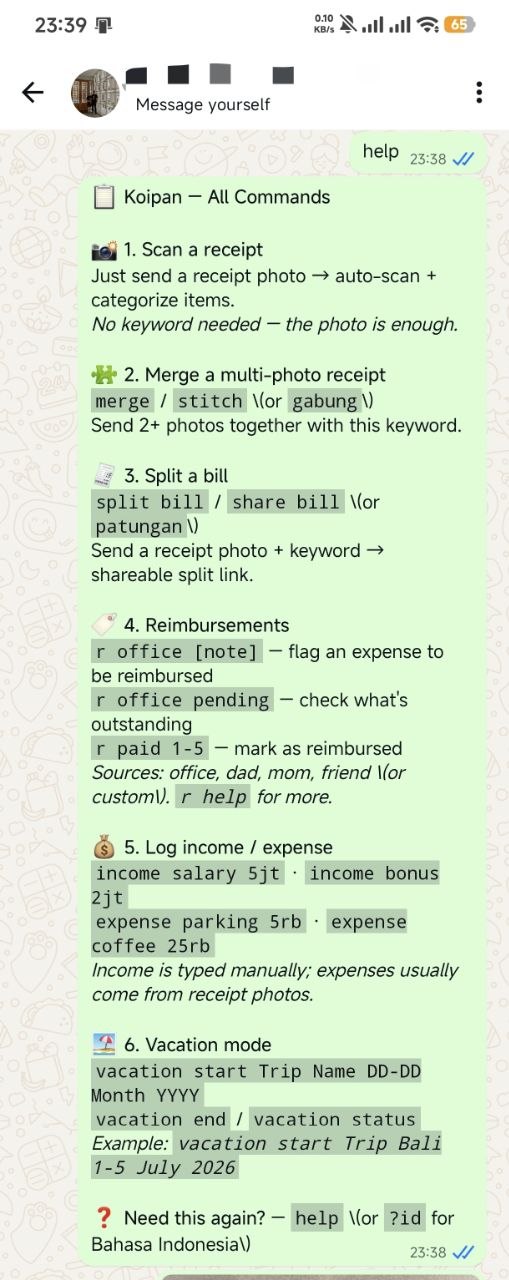
There's no separate app to open. Snap a photo, type a line, or forward a receipt, and Koi replies right there. These are real conversations with it.
Point Koi at a private WhatsApp group instead of your personal chat, and everyone in it can drop their receipts in. Each one lands in the same shared book, already sorted. Partners and families get a single running picture of where the money goes, with each person adding from their own phone.


swipe to see more →
These are screenshots straight from the dashboard. Have a look around before you buy.


Scan a QR code once to connect Koi to your number. That's the whole setup.
Send a photo or type a quick line. Koi reads it, saves it, and sends a reply to confirm.
Open your private dashboard to see exactly where your money went.
If you're the one who'll run it, here's exactly what you're getting.
A multi-stage Docker image bundles Python 3.11 and Node 20. docker compose up -d starts the WhatsApp bridge, the dashboard, and the scanner together.
The SQLite database, receipt images, WhatsApp session, and your rules all live in one ./data folder. Back it all up by copying that folder. No accounts, no cloud.
The only outbound call is the receipt photo, sent to a vision model to read the text. No telemetry, no analytics, nothing else syncs anywhere.
Point the OCR at any OpenRouter vision model with one setting (Qwen3-VL by default). The full source ships with it, so you can rewire that part if you'd rather.
An optional password gate with constant-time checks, the WhatsApp bridge kept on localhost, a fresh key per install, and the public split page escapes everything it shows.
Readable Python and JavaScript, 1,700+ built-in categorization keywords plus your own from the dashboard, and around fifteen environment settings (language, timezone, currency, chat scope).
Your finances aren't handed to anyone. You host the whole thing yourself.
You decide where it runs and how it behaves, and most of it is configurable without going near the code.
Pay once and it's yours to run. There's no subscription waiting around the corner.
The dashboard and the chat replies both speak English and Bahasa Indonesia.
Buy it once and run it on your own machine for as long as you like.
You'll need somewhere to host it and a WhatsApp number. With Docker, setup takes a few minutes.
No. Everything sits on your own server. The one exception is the receipt photo, which goes to a vision service so the text can be read. Nothing else is sent off your machine.
If you can run a single Docker command, you can run Koi. The included guide walks you through linking WhatsApp and opening the dashboard.
Something that stays on, like a PC, a home server, a NAS, or a small VPS. You'll also want a WhatsApp number and an OpenRouter key for the receipt scanning.
Yes. By default Koi only reads your own "Message Yourself" chat, so it stays out of your other conversations. You can also point it at a dedicated group.
Yes. It works in both English and Bahasa Indonesia, in the dashboard and in its WhatsApp replies.
You're free to modify it for your own use, including pointing it at a local or offline AI model. The only thing the licence rules out is reselling it or passing it on to other people. One purchase is for one person's own use.
Honestly, you could try. The hard part is the distance between a weekend prototype and something you would trust with a whole year of your own money: reading messy real-world receipts reliably, getting Indonesian number formatting and tax and service splits exactly right, handling several people submitting a split at once, the WhatsApp connection, the categorization rules, and the hundred small fixes that only surface after months of daily use. Koi is already past all of that, it runs lean on tokens, and the core bookkeeping keeps working with no AI involved at all. Rebuilding it to the same polish and stability is a real chunk of time, and, only half joking, probably about half of your weekly Claude Code limit. Buying it once skips you straight to the version that already works.